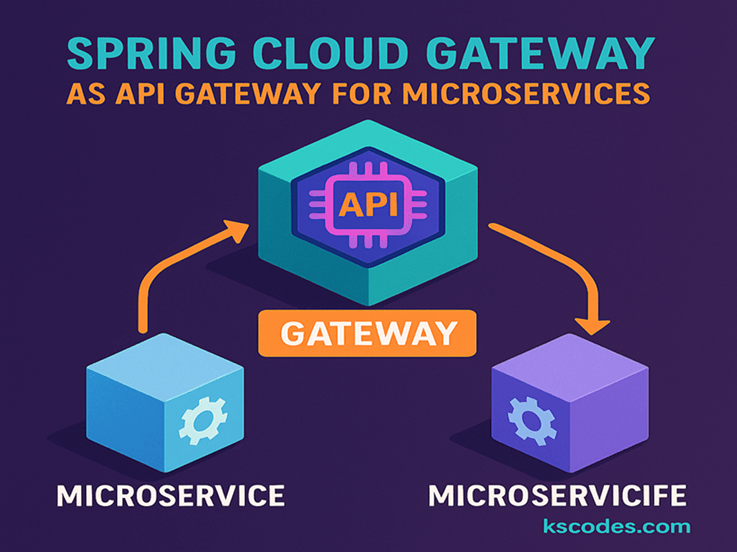
As microservices architectures grow, the need for a centralized entry point becomes vital. This is where API Gateways come in. In the Spring ecosystem, Spring Cloud Gateway offers a powerful, lightweight, and flexible solution for this purpose.
In this guide, we’ll dive deep into configuring Spring Cloud Gateway for microservices, covering route definitions, filters, load balancing, and service discovery with Eureka.
📦 Project Structure
com.kscodes.springboot.microservice
├── gateway-service
├── service-a
└── service-b
All services are registered to Eureka, and the Gateway will route the incoming requests to the appropriate microservices.
🧰 Step 1: Add Dependencies
🧩 pom.xml for Gateway
        org.springframework.cloud
        spring-cloud-starter-gateway


        org.springframework.cloud
        spring-cloud-starter-netflix-eureka-client
In your parent section:
            org.springframework.cloud
            spring-cloud-dependencies
            2023.0.0
            pom
            import
⚙️ Step 2: application.yml for Gateway
server:
  port: 8080

spring:
  application:
    name: gateway-service
  cloud:
    gateway:
      discovery:
        locator:
          enabled: true
          lower-case-service-id: true
      routes:
        - id: service-a
          uri: lb://service-a
          predicates:
            - Path=/api/service-a/**
          filters:
            - RewritePath=/api/service-a/(?.*), /${segment}
        - id: service-b
          uri: lb://service-b
          predicates:
            - Path=/api/service-b/**
          filters:
            - RewritePath=/api/service-b/(?.*), /${segment}

eureka:
  client:
    service-url:
      defaultZone: http://localhost:8761/eureka
🔁
lb://means it’s using Ribbon/LoadBalancer with Eureka for service lookup.
🚀 Step 3: Basic Microservice Setup
✅ service-a Example Controller
package com.kscodes.springboot.microservice.servicea;

import org.springframework.web.bind.annotation.GetMapping;
import org.springframework.web.bind.annotation.RestController;

@RestController
public class ServiceAController {

    @GetMapping("/hello")
    public String sayHello() {
        return "Hello from Service A!";
    }
}
Ensure that application.yml has:
spring:
  application:
    name: service-a

server:
  port: 8081

eureka:
  client:
    service-url:
      defaultZone: http://localhost:8761/eureka
Do the same for service-b on port 8082.
🔒 Step 4: Add Custom Filters (Optional)
You can define a custom filter to log requests or validate headers.
package com.kscodes.springboot.microservice.gatewayservice;

import org.springframework.cloud.gateway.filter.GatewayFilter;
import org.springframework.cloud.gateway.filter.GatewayFilterChain;
import org.springframework.stereotype.Component;
import org.springframework.web.server.ServerWebExchange;
import reactor.core.publisher.Mono;

@Component
public class LoggingFilter implements GatewayFilter {

    @Override
    public Mono filter(ServerWebExchange exchange, GatewayFilterChain chain) {
        System.out.println("Incoming request to URI: " + exchange.getRequest().getURI());
        return chain.filter(exchange);
    }
}
Add this filter to your route via Java configuration if needed.
🌐 Step 5: Test Your Setup
Start Eureka, both services, and the Gateway.
Test with:
http://localhost:8080/api/service-a/hello
http://localhost:8080/api/service-b/hello
✅ Gateway routes requests to appropriate services using path predicates and rewrites.
📈 Benefits of Spring Cloud Gateway
- ✅ Native Spring Boot integration
- 🔄 Dynamic routing with Eureka
- 🧱 Supports filters and predicates
- 🔐 Works well with OAuth2, security filters
- ⚡ Light footprint and non-blocking (Reactor-based)
🏁 Conclusion
Using Spring Cloud Gateway for Microservices gives your architecture a scalable and centralized API layer. With built-in integration for Eureka, filters, and path routing, it becomes the perfect entry point for modern cloud-native applications.