In Spring Boot, externalized configuration is one of its strongest features. Instead of hardcoding values, you can define them in property or YAML files. But injecting many @Value fields can quickly become cumbersome and hard to maintain. This is where property binding using @ConfigurationProperties shines.
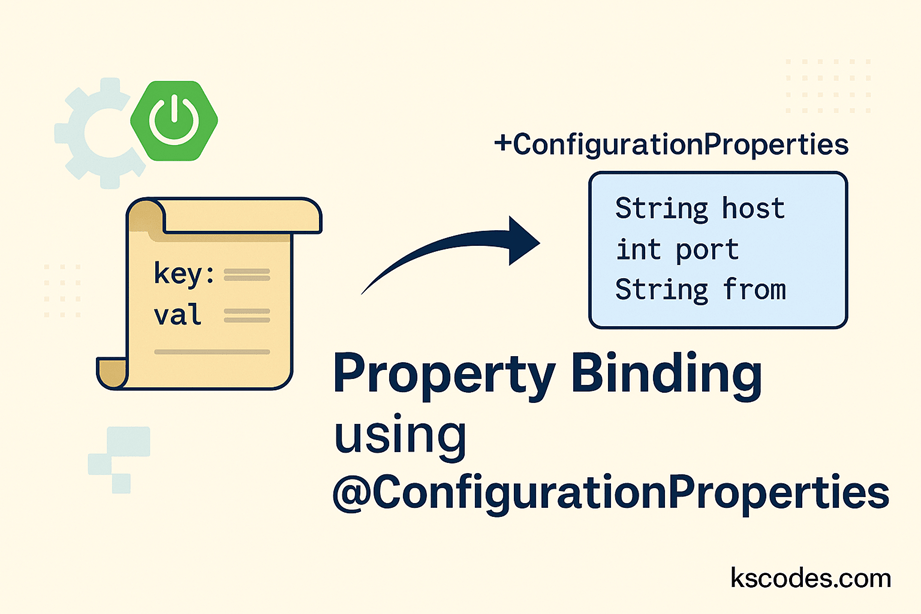
With @ConfigurationProperties, you can map entire sections of application.properties or application.yml directly into Java objects. This post covers how to implement property binding using @ConfigurationProperties in Spring Boot.
🎯 What is @ConfigurationProperties?
@ConfigurationProperties is an annotation provided by Spring Boot that allows you to bind a group of related properties into a structured Java object.
Benefits:
- Clean and structured code
- Easier refactoring
- Strong typing with validation
- Supports nested and list properties
🛠️ Enable Configuration Properties
From Spring Boot 2.2+, you no longer need @EnableConfigurationProperties if the bean is annotated with @Component or manually registered.
📘 Step-by-Step Example
Let’s walk through property binding using @ConfigurationProperties in a sample Spring Boot application.
🧾 application.yml
kscodes:
  mail:
    host: smtp.kscodes.com
    port: 587
    from: noreply@kscodes.com
    credentials:
      username: mailuser
      password: secret
📦 MailProperties.java
package com.kscodes.springboot.config;

import org.springframework.boot.context.properties.ConfigurationProperties;
import org.springframework.stereotype.Component;

@Component
@ConfigurationProperties(prefix = "kscodes.mail")
public class MailProperties {

    private String host;
    private int port;
    private String from;
    private Credentials credentials;

    public static class Credentials {
        private String username;
        private String password;

        // Getters and setters
        public String getUsername() {
            return username;
        }
        public void setUsername(String username) {
            this.username = username;
        }
        public String getPassword() {
            return password;
        }
        public void setPassword(String password) {
            this.password = password;
        }
    }

    // Getters and setters
    public String getHost() {
        return host;
    }
    public void setHost(String host) {
        this.host = host;
    }

    public int getPort() {
        return port;
    }
    public void setPort(int port) {
        this.port = port;
    }

    public String getFrom() {
        return from;
    }
    public void setFrom(String from) {
        this.from = from;
    }

    public Credentials getCredentials() {
        return credentials;
    }
    public void setCredentials(Credentials credentials) {
        this.credentials = credentials;
    }
}
🧪 Using the Bound Properties
package com.kscodes.springboot.controller;

import com.kscodes.springboot.config.MailProperties;
import org.springframework.web.bind.annotation.GetMapping;
import org.springframework.web.bind.annotation.RestController;

@RestController
public class MailController {

    private final MailProperties mailProperties;

    public MailController(MailProperties mailProperties) {
        this.mailProperties = mailProperties;
    }

    @GetMapping("/mail-config")
    public String getMailConfig() {
        return "Mail server: " + mailProperties.getHost() +
               ", Port: " + mailProperties.getPort() +
               ", From: " + mailProperties.getFrom();
    }
}
🔍 Validating Properties with JSR-303
You can add bean validation to ensure property values are correct:
import jakarta.validation.constraints.*;

@ConfigurationProperties(prefix = "kscodes.mail")
@Validated
public class MailProperties {

    @NotEmpty
    private String host;

    @Min(1)
    private int port;

    @Email
    private String from;

    ...
}
Make sure to add the validation dependency:
    jakarta.validation
    jakarta.validation-api
✅ Use in @Configuration instead of @Component
If you don’t want to use @Component, register it manually in a config class:
@Configuration
@EnableConfigurationProperties(MailProperties.class)
public class AppConfig {
}
📌 Best Practices for Property Binding using @ConfigurationProperties
- Use YAML for hierarchical structure clarity.
- Use
@Validatedand JSR-303 for safe and clean configs. - Prefer
@ConfigurationPropertiesover@Valuefor grouped properties. - Avoid putting
@ConfigurationPropertieson a bean that has logic; keep it as a pure POJO.
⚠️ Difference Between @ConfigurationProperties and @Value
| Feature | @Value | @ConfigurationProperties |
|---|---|---|
| Used For | Single properties | Grouped/nested properties |
| Supports Relaxed Binding | ❌ | ✅ |
| Supports JSR-303 Validation | ❌ | ✅ |
| Supports Lists/Maps | Limited | Full support |
🔚 Conclusion
Using property binding with @ConfigurationProperties in Spring Boot provides a robust, scalable, and maintainable way to manage external configurations. It’s especially useful when you have multiple related config properties and want to avoid cluttering your code with @Value annotations.
Now that you know how to implement property binding using @ConfigurationProperties, your code will be cleaner, safer, and easier to manage.
📝 Summary
- ✅ Use
@ConfigurationPropertiesfor structured, grouped configuration. - ✅ Annotate your POJO with
@Componentor register it manually. - ✅ Use JSR-303 validation for reliable config inputs.
- ✅ Organize complex configuration logic with nested classes.