🌐 What Are Parameters in Web Requests?
When building REST APIs or web apps, parameters help you pass data from the client (browser or app) to the server (your Spring Boot backend). In Spring Boot, you can access these parameters using:
- Path Variables
- Request Parameters
- Query Parameters (synonym for Request Params, commonly used term)
They all serve different purposes. Let’s break the Params in Spring Boot down.
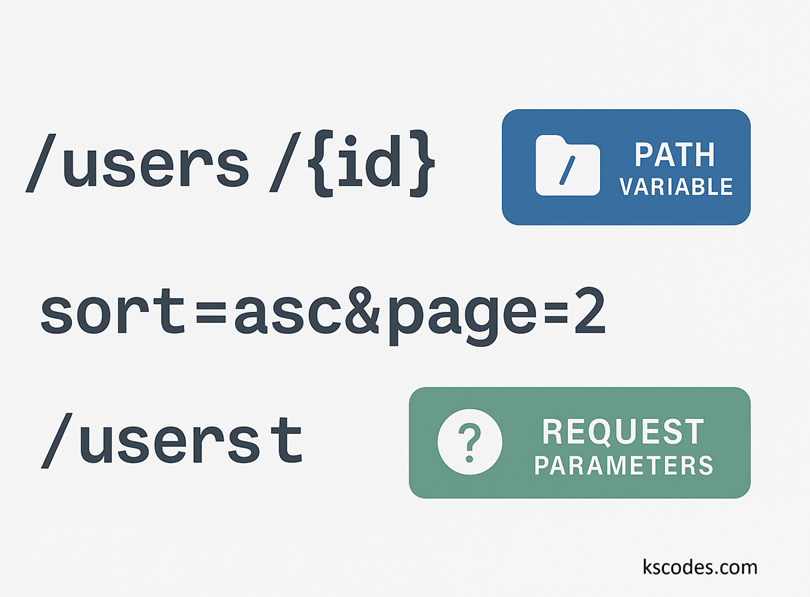
🔗 1. Path Variables (@PathVariable)
✅ Use case:
When the value is part of the URL path — typically identifying a specific resource.
📦 Example URL:
GET /products/42
📄 Controller Example:
@RestController
@RequestMapping("/products")
public class ProductController {

    @GetMapping("/{id}")
    public String getProduct(@PathVariable int id) {
        return "Product ID: " + id;
    }
}
✅ Output:
Product ID: 42
🔍 Notes:
- Use when identifying a specific resource.
- Clear and readable RESTful URL.
🧾 2. Request Parameters (@RequestParam)
✅ Use case:
When the data is passed as key-value pairs after a ? in the URL.
📦 Example URL:
GET /products/search?name=keyboard&limit=10
📄 Controller Example:
@RestController
@RequestMapping("/products")
public class ProductController {

    @GetMapping("/search")
    public String searchProducts(
        @RequestParam String name,
        @RequestParam(defaultValue = "5") int limit) {
        return "Searching for: " + name + ", Limit: " + limit;
    }
}
✅ Output:
Searching for: keyboard, Limit: 10
🔍 Notes:
- Great for optional or filtering parameters.
- Supports default values and required flags.
🧵 3. Query Parameters (Same as Request Params)
✅ Query params = Request params
They are just different names for the same thing. Some developers use “query params” for readability.
GET /users?sort=asc&page=2
These are all accessed using @RequestParam.
🔄 Combining Both: Path + Request Params
You can use both together in the same request:
📦 Example URL:
GET /orders/55?includeDetails=true
📄 Controller:
@GetMapping("/orders/{id}")
public String getOrder(
    @PathVariable int id,
    @RequestParam boolean includeDetails) {
    return "Order ID: " + id + ", Include details: " + includeDetails;
}
🛡️ Making Params Optional
@GetMapping("/users")
public String listUsers(@RequestParam(required = false) String role) {
    return role != null ? "Filtered by: " + role : "All users";
}
Or use a default value:
@RequestParam(defaultValue = "user")🚫 Common Mistakes to Avoid
| Mistake | Why It’s a Problem |
|---|---|
Forgetting @PathVariable or @RequestParam | Spring won’t map values correctly |
| Mismatched variable names | Must match or explicitly specify the param name |
| Assuming query param is required | Will throw an error unless marked optional |
| Putting sensitive data in URL | Use POST body for credentials, tokens, etc. |
🧪 Real-World Examples
Get user by ID:
GET /users/100
@PathVariable: 100
Filter users by role:
GET /users?role=admin
@RequestParam: role=admin
Pagination:
GET /users?page=1&size=20
@RequestParam: page=1, size=20
✅ Summary
| Type | Annotation | Example | Use Case |
|---|---|---|---|
| Path Variable | @PathVariable | /users/10 | Resource identification |
| Request/Query Param | @RequestParam | /users?role=admin | Filtering, searching, options |
| Optional Param | @RequestParam(required = false) | /users | Optional behavior |
Mastering Params in Spring Boot is essential for building clean and effective REST APIs.