🔥 Why Multi-stage Docker Builds Matter
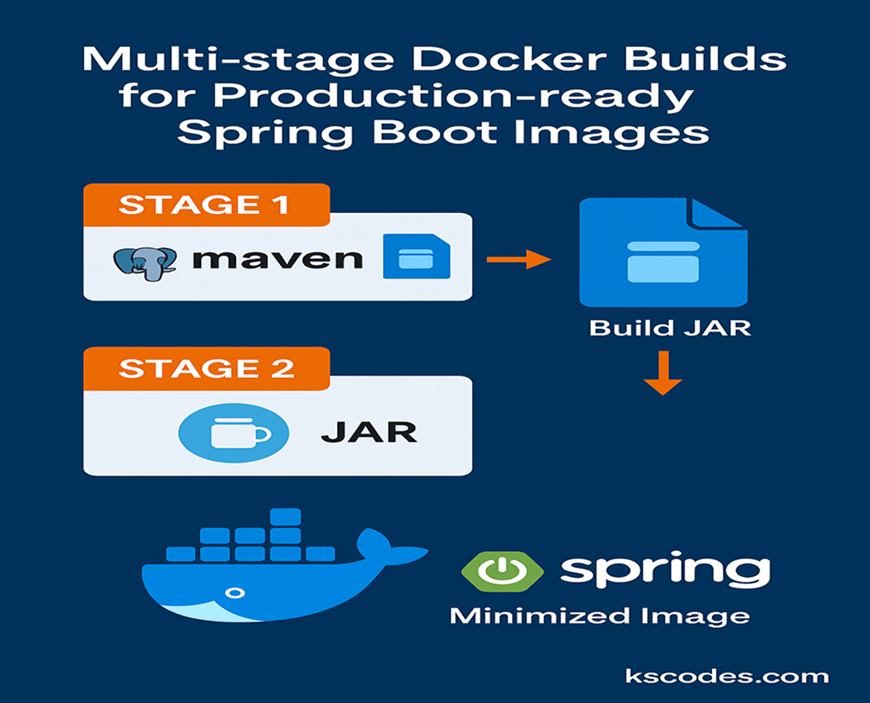
When deploying Spring Boot applications, using a traditional single-stage Dockerfile results in large, insecure images containing unnecessary build tools like Maven or Gradle. Multi-stage builds help you:
- 🪶 Reduce image size
- 🔐 Improve security by excluding build dependencies
- 📦 Separate build and runtime concerns
This guide walks you through creating a clean, production-ready Docker image using multi-stage builds for your Spring Boot app.
📦 Project Setup
We’ll continue using the same Spring Boot app with package:com.kscodes.springboot.containers
You can follow this structure:
springboot-app/
├── src/
├── pom.xml
├── Dockerfile
└── .dockerignore
⚙️ Multi-stage Dockerfile
Here’s a Dockerfile using two stages: builder and runtime.
# -------- Stage 1: Build the JAR --------
FROM eclipse-temurin:21-jdk AS builder

WORKDIR /app

# Copy everything and build
COPY . .
RUN ./mvnw clean package -DskipTests

# -------- Stage 2: Slim runtime --------
FROM eclipse-temurin:21-jre

WORKDIR /app

# Copy only the JAR from the builder image
COPY --from=builder /app/target/*.jar app.jar

# Expose port and run the app
EXPOSE 8080
ENTRYPOINT ["java", "-jar", "app.jar"]
This results in a clean image with only the Spring Boot JAR file — no Maven, no source files, no unnecessary layers.
📄 .dockerignore
To avoid bloating your Docker context:
target/
.git/
.idea/
*.iml
*.md
🔨 Build & Run
docker build -t springboot-multistage .
docker run -p 8080:8080 springboot-multistage
Open http://localhost:8080 and verify your app is running.
📉 Compare Image Sizes
Let’s compare using the command below:
docker images | grep springboot
Typical results:
| Image Type | Size |
|---|---|
| Single-stage | 480 MB+ |
| Multi-stage | ~150 MB |
Multi-stage builds often shrink the image by 60–70%.
🛡️ Security Benefits
Multi-stage builds also:
- Remove build tools (Maven, Gradle)
- Eliminate vulnerable dependencies
- Reduce attack surface
Great for passing container vulnerability scans (Snyk, Trivy, etc.)
⚡ Layer Caching Tip (Optional)
For faster rebuilds, separate dependency copy:
COPY pom.xml .
COPY src/main/resources/ /app/resources
RUN ./mvnw dependency:go-offline

COPY src/ /app/src
RUN ./mvnw clean package -DskipTests
This allows Docker to cache dependencies if your code changes, speeding up builds.
✅ Best Practices
| Practice | Why It Matters |
|---|---|
| Use Alpine base images | Smaller, faster |
Use jre in runtime image | Lower memory footprint |
| Tag images semantically | Avoid latest in production |
| Don’t hardcode secrets | Use environment variables instead |
📘 Summary
In this guide, you learned how to create a multi-stage Docker build for Spring Boot that’s optimized, secure, and production-ready. By separating the build and runtime environments, you drastically reduce image size and attack surface — setting a strong foundation for deployment to Kubernetes or cloud platforms. Hope this helps.