As applications scale, monolithic architectures can become bottlenecks in agility and scalability. That’s where microservices come in — breaking a large application into independently deployable services, each focused on a single business capability.
This post introduces you to Spring Boot Microservices Architecture, explaining core principles, structure, communication patterns, and how to build two real microservices from scratch.
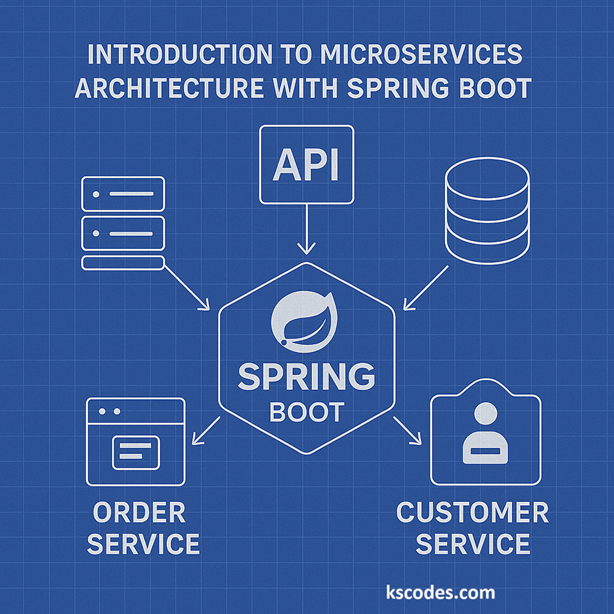
🧱 What is Microservices Architecture?
Microservices architecture is a design pattern where an application is composed of small, autonomous services that communicate over HTTP, messaging, or events.
🧩 Benefits:
- Independent deployment
- Modular scalability
- Clear domain ownership
- Fault isolation
💡 Key Concepts in Spring Boot Microservices Architecture
| Concept | Description |
|---|---|
| Service Discovery | Using tools like Eureka or Consul to locate services |
| API Gateway | Central entry point for external clients |
| Inter-Service Communication | REST or messaging (RabbitMQ, Kafka) |
| Configuration Management | Using Spring Cloud Config |
| Fault Tolerance | Circuit breakers with Resilience4j |
📦 Let’s Build Two Simple Microservices
We will build:
- Customer Service – Manages customer data
- Order Service – Retrieves order information for customers
Package base: com.kscodes.springboot.microservice
🔧 1. Customer Service
📁 Package: com.kscodes.springboot.microservice.customer
Customer.java
package com.kscodes.springboot.microservice.customer;

public class Customer {
    private Long id;
    private String name;

    public Customer() {}

    public Customer(Long id, String name) {
        this.id = id;
        this.name = name;
    }

    // Getters and setters
}
CustomerController.java
package com.kscodes.springboot.microservice.customer;

import org.springframework.web.bind.annotation.*;

@RestController
@RequestMapping("/api/customers")
public class CustomerController {

    @GetMapping("/{id}")
    public Customer getCustomer(@PathVariable Long id) {
        return new Customer(id, "Customer_" + id);
    }
}
CustomerServiceApplication.java
package com.kscodes.springboot.microservice.customer;

import org.springframework.boot.SpringApplication;
import org.springframework.boot.autoconfigure.SpringBootApplication;

@SpringBootApplication
public class CustomerServiceApplication {
    public static void main(String[] args) {
        SpringApplication.run(CustomerServiceApplication.class, args);
    }
}
🛠️ application.yml
server:
  port: 8081
spring:
  application:
    name: customer-service
🔧 2. Order Service (Calls Customer Service)
📁 Package: com.kscodes.springboot.microservice.order
Order.java
package com.kscodes.springboot.microservice.order;

public class Order {
    private Long orderId;
    private String description;
    private Customer customer;

    public Order() {}

    public Order(Long orderId, String description, Customer customer) {
        this.orderId = orderId;
        this.description = description;
        this.customer = customer;
    }

    // Getters and setters
}
Customer.java (DTO in order service)
package com.kscodes.springboot.microservice.order;

public class Customer {
    private Long id;
    private String name;

    // Getters and setters
}
OrderController.java
package com.kscodes.springboot.microservice.order;

import org.springframework.web.bind.annotation.*;
import org.springframework.web.client.RestTemplate;

@RestController
@RequestMapping("/api/orders")
public class OrderController {

    private final RestTemplate restTemplate;

    public OrderController(RestTemplate restTemplate) {
        this.restTemplate = restTemplate;
    }

    @GetMapping("/{orderId}")
    public Order getOrder(@PathVariable Long orderId) {
        Customer customer = restTemplate.getForObject("http://localhost:8081/api/customers/1", Customer.class);
        return new Order(orderId, "Laptop Purchase", customer);
    }
}
OrderServiceApplication.java
package com.kscodes.springboot.microservice.order;

import org.springframework.boot.SpringApplication;
import org.springframework.boot.autoconfigure.SpringBootApplication;
import org.springframework.context.annotation.Bean;
import org.springframework.web.client.RestTemplate;

@SpringBootApplication
public class OrderServiceApplication {

    public static void main(String[] args) {
        SpringApplication.run(OrderServiceApplication.class, args);
    }

    @Bean
    public RestTemplate restTemplate() {
        return new RestTemplate();
    }
}
🛠️ application.yml
server:
  port: 8082
spring:
  application:
    name: order-service
📡 How These Microservices Interact
+------------------+           HTTP           +------------------+
|  Order Service   |  -------------------->   | Customer Service |
| (localhost:8082) |                         | (localhost:8081) |
+------------------+                         +------------------+
Order Service calls Customer Service using RestTemplate
In real scenarios, this would be handled by Eureka + Feign
🔍 Testing the Microservices
Start both services:
cd customer-service
./mvnw spring-boot:run

cd order-service
./mvnw spring-boot:run
Then visit:
👉 http://localhost:8082/api/orders/1001
You’ll see an order with embedded customer info fetched from customer-service.
⚙️ Future Enhancements
- ✅ Add Eureka for service discovery
- ✅ Introduce API Gateway (Spring Cloud Gateway)
- ✅ Use FeignClient instead of RestTemplate
- ✅ Secure with Spring Security + OAuth2
- ✅ Deploy with Docker and Kubernetes
📚 Summary
In this article, you learned the basics of Spring Boot Microservices Architecture. You built two services that interact using HTTP, each with a clean, independent structure. This lays the foundation for scalable and flexible microservices development.
Using Spring Boot Microservices Architecture, you can build robust, maintainable systems that are easy to develop, test, and deploy.