Azure Spring Apps (formerly Spring Cloud Azure) is a fully managed service by Microsoft and VMware to run Spring Boot applications natively on Azure. It abstracts away the infrastructure so you can focus on code, while gaining access to enterprise-grade scaling, monitoring, and CI/CD integration.
In this detailed guide, you’ll learn how to:
- Deploy a Spring Boot app to Azure Spring Apps
- Set up the environment using Azure CLI
- Configure settings, monitoring, and scaling
- Secure and automate deployment via CI/CD
We’ll use the base package:com.kscodes.springboot.containers
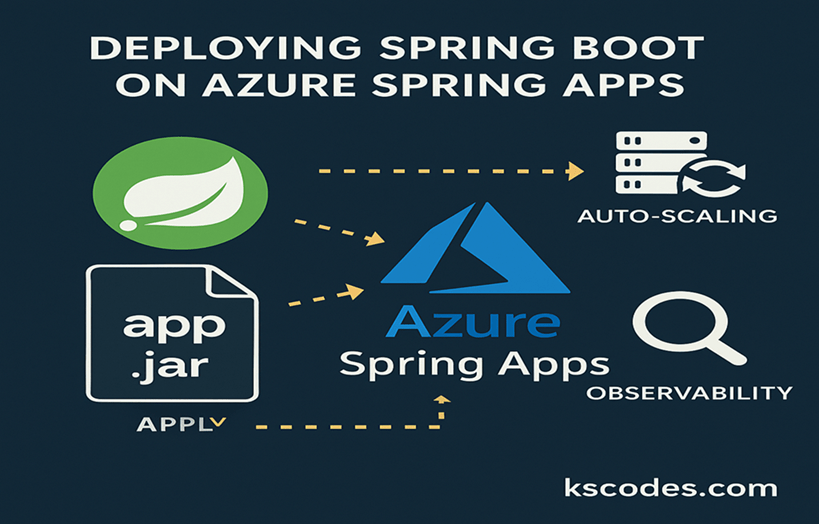
🧰 Prerequisites
Ensure you have:
- Azure account with subscription
- Azure CLI installed and logged in (
az login) - Spring Boot app (with Maven)
- Java 17+ or 21
- Maven or Gradle project
- Optional: GitHub Actions for CI/CD
🚀 Step 1: Create Spring Boot App
Sample REST controller:
package com.kscodes.springboot.containers;

import org.springframework.web.bind.annotation.GetMapping;
import org.springframework.web.bind.annotation.RestController;

@RestController
public class HelloAzureController {

    @GetMapping("/")
    public String home() {
        return "Hello from Azure Spring Apps!";
    }
}
Build the JAR:
./mvnw clean package -DskipTests
⚙️ Step 2: Create Azure Resources
Login and set default values:
az login
az account set --subscription "your-subscription-name"
az configure --defaults location=eastus
Create a resource group:
az group create --name springboot-rg --location eastus
Create the Azure Spring Apps service:
az spring create --name springboot-service --resource-group springboot-rg
📦 Step 3: Create the App in Azure Spring Apps
az spring app create \
  --name kscodes-springboot-app \
  --service springboot-service \
  --resource-group springboot-rg \
  --runtime-version Java_21 \
  --instance-count 1 \
  --memory 2Gi \
  --cpu 1
🚀 Step 4: Deploy Spring Boot App
az spring app deploy \
  --name kscodes-springboot-app \
  --service springboot-service \
  --resource-group springboot-rg \
  --artifact-path target/your-app.jar
🌐 Step 5: Access the App
Get the default endpoint:
az spring app show \
  --name kscodes-springboot-app \
  --service springboot-service \
  --resource-group springboot-rg \
  --query properties.url \
  --output tsv
Paste the URL in your browser — you’ll see your Spring Boot app live on Azure.
🔒 Step 6: Environment Variables & Secrets
Set environment variables:
az spring app update \
  --name kscodes-springboot-app \
  --resource-group springboot-rg \
  --service springboot-service \
  --env SPRING_PROFILES_ACTIVE=prod DB_URL=jdbc:mysql://...
Azure Spring Apps injects these automatically at runtime.
📈 Step 7: Enable Monitoring (Azure Monitor + App Insights)
Enable distributed tracing with Azure Monitor:
az spring-monitor enable \
  --resource-group springboot-rg \
  --service springboot-service
You’ll get access to logs, metrics, and tracing in Azure Monitor and Application Insights.
🔁 Optional: GitHub Actions for CI/CD
Azure automatically suggests a GitHub Actions workflow. You can also create a basic one:
name: Build and Deploy Spring Boot to Azure

on:
  push:
    branches: [ main ]

jobs:
  deploy:
    runs-on: ubuntu-latest
    steps:
      - uses: actions/checkout@v3

      - name: Set up Java
        uses: actions/setup-java@v3
        with:
          java-version: '21'
          distribution: 'temurin'

      - name: Build with Maven
        run: mvn clean package -DskipTests

      - name: Deploy to Azure Spring Apps
        uses: azure/spring-apps-deploy@v1
        with:
          app-name: kscodes-springboot-app
          service-name: springboot-service
          resource-group: springboot-rg
          artifact-path: target/*.jar
🔄 Scaling the App
az spring app update \
  --name kscodes-springboot-app \
  --service springboot-service \
  --resource-group springboot-rg \
  --cpu 2 \
  --memory 4Gi \
  --instance-count 3
✅ Benefits of Azure Spring Apps
| Feature | Description |
|---|---|
| No infra management | Fully managed Spring Boot runtime |
| Built-in scaling | Instance auto-scaling and manual control |
| Azure AD integration | Secure identity and access control |
| Observability | Application Insights + Log Analytics |
| CI/CD ready | GitHub Actions and Azure DevOps integration |
🧠 Summary
You just learned how to deploy a Spring Boot app to Azure Spring Apps, Microsoft’s fully managed platform for Spring workloads. You created a service, deployed your app, exposed it publicly, and added configuration and monitoring — all using Azure CLI.
This approach is ideal for enterprises and developers looking to run Spring Boot apps in the cloud without managing VMs or Kubernetes.